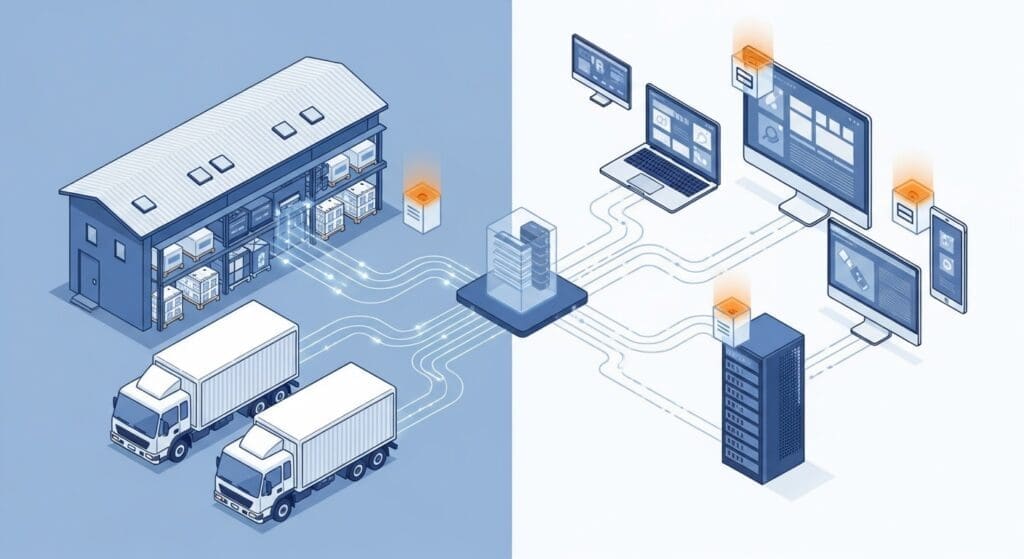
Efficient frozen food delivery starts with automation. When your online store hands us delivery tasks the moment an order is ready, and we update your customers automatically throughout the journey, everyone wins – you save time, customers stay informed, and deliveries run smoothly. This is the overview of how you connect. There are only two paths, and this page maps both.
Two ways to task The Frozen Food Courier™
Whatever you sell and wherever you sell it, tasking us comes down to one choice:
- Selling on WooCommerce? Install our two free plugins – the Cibarix™ platform. No code, no developer.
- On Shopify, Wix, a custom site, or an ERP? Connect to our hosted Carrier API. One request out, signed status webhooks back.
Either path, one promise: we handle rating, dispatch and status automatically. Live cold-chain rates at your checkout, orders dispatched to our system without re-keying, and delivery status flowing back to you and your customer – hands-off.
Path 1 — WooCommerce: the Cibarix™ plugins
If your store runs on WooCommerce, you do not need to write a line of code or wire up a third-party automation service. We publish two free plugins that do the whole job. Browse them at the plugins index.
CBX Woo Shipping
Shows live cold-chain delivery rates at checkout, priced straight off our rate card for the customer’s address – no guesswork, no flat fees that lose you money. It supports promotions (free-delivery thresholds and the like) and includes an optional delivery-status workflow so your order statuses reflect what is really happening on the road.
CBX Woo Connector
Handles the dispatch and status sync: when an order is ready, it sends the delivery task to us automatically, then writes our delivery status back into your WooCommerce order as the job progresses. It ships with two engines and stays off by default – you turn on only what you need, when you are ready.
Run CBX Woo Shipping on its own for rating at checkout, or add CBX Woo Connector for full hands-off dispatch and status – the classic “start simple, grow into it” path. Under the hood, the plugins talk to the same Carrier API described below, so you get the same engine with none of the wiring.
Path 2 — Everything else: the Carrier API
If you are on Shopify, Wix, a custom-built site, or an ERP, you connect through our hosted Carrier API – the same engine the WooCommerce plugins use, exposed directly for you to call.
- To dispatch: your system posts a
shipment_requesttocarrier/v1/shipment(Bearer-token authenticated) the moment an order is ready. - To track: we send signed status webhooks back to you as the delivery moves through its lifecycle – accepted, scheduled, dispatched, en route, completed.
That is the whole loop: one authenticated request out, verified status updates back. If your platform can post JSON to a URL, it can task us.
What we do for you, automatically
Many couriers charge extra for automation, notifications and tracking. We don’t – it is included in your delivery fee, on both paths:
- Live cold-chain rating at checkout
- Automatic order dispatch – no re-keying
- Route optimisation and planning
- Customer notifications by email, SMS and WhatsApp (pre-delivery, scheduled, dispatched, en route, completed)
- Real-time tracking links
- Delivery confirmation, plus failed-delivery management and rescheduling
- Status flowing back to your store or system
When customers get professional notifications and can track their delivery in real time, it builds trust in your brand.
What we need to create a delivery task
Whether the data arrives via a plugin or the Carrier API, we need the same core details.
Required
- Recipient first and last name
- Email address (for delivery notifications)
- Mobile number (for SMS/WhatsApp notifications)
- Delivery address (street, suburb/complex, city, province, postal code)
- Your order ID / number
- Your merchant code (issued when you register with us)
Helpful (optional)
- Access notes (gate codes, special instructions), delivery-time preferences, or a what3words location
- Dispatch-ready date and preferred delivery date
- Company name and an alternative contact number
What we don’t need
To respect privacy and keep transfers lean, we do not need product details or order contents, payment information, purchase history, or full invoices. All delivery data is forensically archived and kept confidential – which is why every order identifier must be unique (we reject duplicates automatically for safety).
Task lifecycle: what the statuses mean
Once we have your order, it moves through these stages – delivered to you as WooCommerce order statuses (via CBX Woo Connector) or as signed Carrier API webhooks:
- ACCEPTED – received and validated; delivery task created; customer gets a pre-delivery notice.
- ONHOLD – address needs extra validation; usually resolves within hours.
- PLANNED – on the delivery calendar; route optimisation in progress.
- SCHEDULED – route locked, driver assigned; customer gets a time window.
- DISPATCHED – driver has departed with the goods; customer gets an “on the way” notice.
- ENROUTE – actively heading to the door; live tracking available.
- COMPLETED – delivered; customer confirmed; your order can close.
- FAILED – unsuccessful (no-one home, access issue); reason sent; can be rescheduled.
- REJECTED – validation failure or out-of-service area; immediate notice with reason.
- CANCELLED – cancelled by you (only while PLANNED or SCHEDULED); all parties notified.
Getting started
- Register as a merchant at thefrozenfoodcourier.co.za/register to receive your merchant code – it identifies you in every automated exchange.
- Pick your path: on WooCommerce, install CBX Woo Shipping (and, when ready, CBX Woo Connector); on any other platform, wire up the Carrier API.
- Test with a trial order before going live – we’re happy to coordinate.
Questions or a non-standard setup? Email hello@thefrozenfoodcourier.co.za or use our contact page – we want your automation to work perfectly.
The Frozen Food Courier™ – seamless, cold-chain delivery automation for frozen food businesses in Gauteng and Cape Town.