
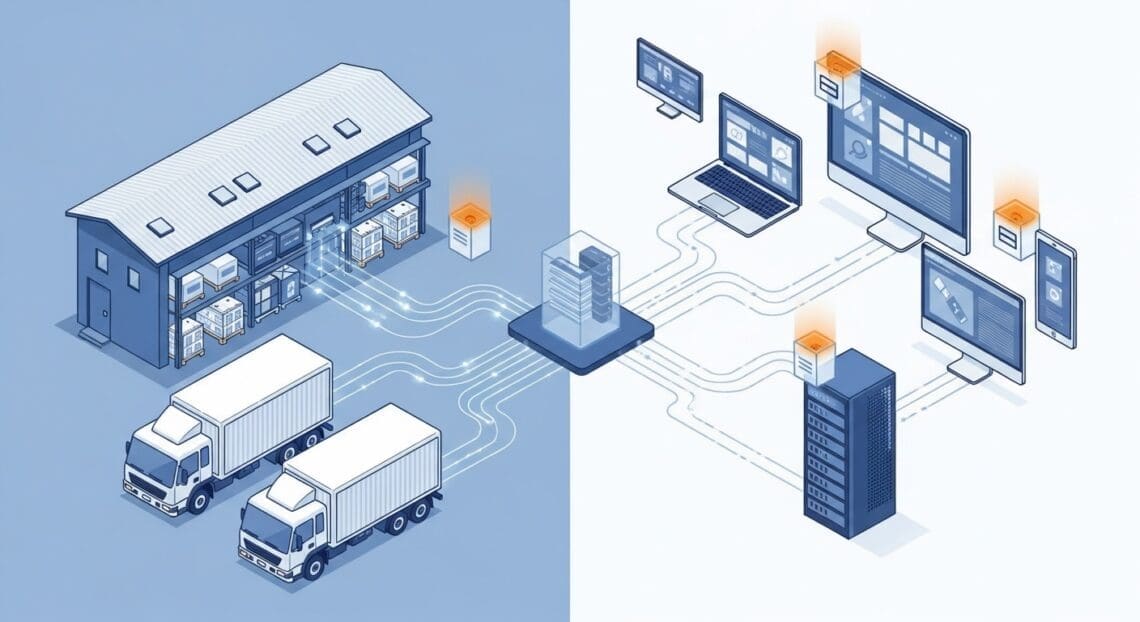
If you run a Shopify store, a Wix site, a custom cart, an ERP, a POS, or any system that can make an authenticated HTTPS request, you can hand cold-chain deliveries to The Frozen Food Courier™ programmatically. This is the developer guide to our hosted Cibarix™ Carrier API: how your system books a delivery with us, and how we call your system back with signed delivery-status updates.
Running a WooCommerce store? You do not need to touch the API at all — use our free plugins instead. See The Frozen Food Courier™ plugins below.
Who this is for
The Carrier API is the right path when you own the order system and want a direct, machine-to-machine handoff:
- Shopify and Wix stores that want to dispatch orders to us without re-keying.
- Custom carts and bespoke e-commerce platforms built in-house.
- ERP, POS and order-management systems that already hold the order of record.
- Order aggregators and mobile apps that generate deliveries on your behalf.
If your system can send an authenticated HTTPS request and handle one in return, it can integrate. The canonical reference lives at The Frozen Food Courier™ Carrier API.
Two directions, one loop
An integration is a simple, symmetrical loop. Your system calls us to book a delivery; we call your system back as that delivery moves. Both directions are keyed to your order reference, so you never have to reconcile identifiers.
You → us: submit a shipment request
Authenticate with an API key we issue you, sent as a Bearer token over HTTPS. Then POST the order as a shipment_request to carrier/v1/shipment. We rate the lane, validate the delivery address, and return an accepted or held decision — and, when accepted, a waybill that identifies the delivery from that point on.
- Accepted — the delivery is booked and a waybill is returned.
- Held — we need something resolved (for example an address that needs confirming) before the delivery can proceed.
Us → you: signed status webhooks
As the delivery progresses, we call your endpoint with signed webhooks that carry the delivery status — typically dispatched → scheduled → delivered. Each callback is keyed to your original order reference, so your system can update the matching order directly. The signature lets you verify every callback genuinely came from us before you act on it.
What we handle for you
Once a shipment request is accepted, the cold-chain operation is ours: rating, address validation, routing, driver dispatch, customer notifications, and proof of delivery. Your system’s only job is to submit the order and listen for the status callbacks.
On WooCommerce? Use the plugins instead
WooCommerce stores do not need to write any integration code. Our two free plugins ride on this exact same Carrier API under the hood, so you get the identical booking-and-status loop with no development work:
- CBX Woo Shipping — live cold-chain rates at your WooCommerce checkout.
- CBX Woo Connector — dispatches paid orders to us and writes delivery status back onto the order automatically.
Browse everything at The Frozen Food Courier™ plugins.
A note on legacy integrations
Earlier integrations relied on bespoke per-customer webhook endpoints, hand-built glue, and workflow-automation middleware such as Zapier or Make. Those are superseded. New integrations go through the hosted Carrier API: one issued API key, one shipment_request endpoint, and signed status callbacks — a single supported contract rather than one-off plumbing.
Get API access
API access is issued on request. Tell us about your platform, expected order volume, and delivery area, and we will issue your API key and share the full request/response reference (OpenAPI) and the webhook contract so your developers can build against exact schemas.


